# 2 Enable new feature test in Validator
**Device actions which can be verified validator app: personalized name and retroactive pairing**
**How to enable new feature test in validator**:
安装adb:[adb安装及使用方法](/pages/viewpage.action?pageId=87464469) 该wiki上提供的adb版本太旧,会出现device offline的问题,下载最新的https://adbshell.com/downloads
安装adb之后找到adb.exe所在的目录,在该目录下打开cmd命令行
输入如下命令:
adb shell am broadcast -a com.google.location.nearby.apps.fastpair.validator.FLAG_OVERRIDE --es flag enable_features_for_v3 --es value true --es type boolean com.google.location.nearby.apps.fastpair.validator

按enter执行命令。
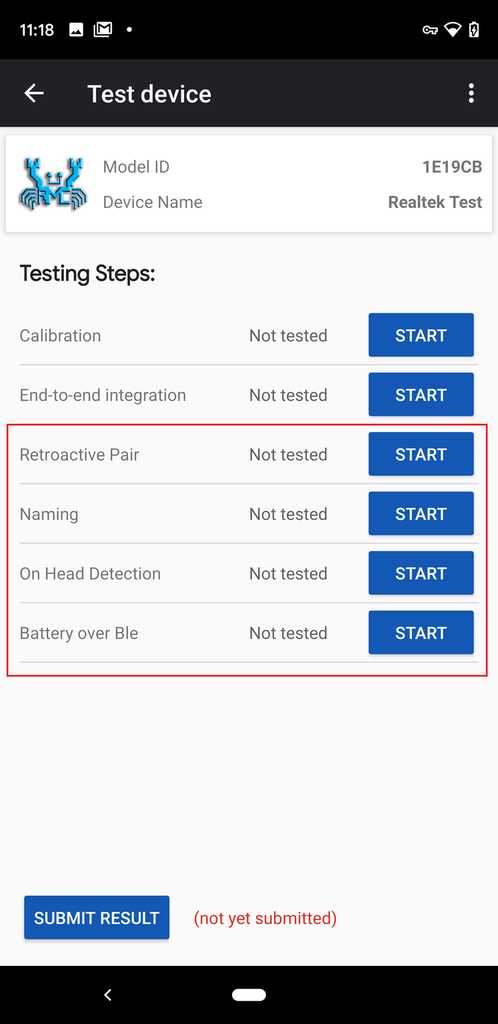
命令执行成功之后,打开fast pair validator 能看到新的feature,如下图红框所示。
界面如下图所示, 红框内是新增的测项:
\