# SpatialHub


 ## Technology Stack and Features
- ⚡ [**FastAPI**](https://fastapi.tiangolo.com) for the Python backend API.
- 🧰 [SQLModel](https://sqlmodel.tiangolo.com) for the Python SQL database interactions (ORM).
- 🔍 [Pydantic](https://docs.pydantic.dev), used by FastAPI, for the data validation and settings management.
- 💾 [PostgreSQL](https://www.postgresql.org) as the SQL database.
- 🚀 [React](https://react.dev) for the frontend.
- 💃 Using TypeScript, hooks, [Vite](https://vitejs.dev), and other parts of a modern frontend stack.
- 🎨 [Tailwind CSS](https://tailwindcss.com) and [shadcn/ui](https://ui.shadcn.com) for the frontend components.
- 🤖 An automatically generated frontend client.
- 🧪 [Playwright](https://playwright.dev) for End-to-End testing.
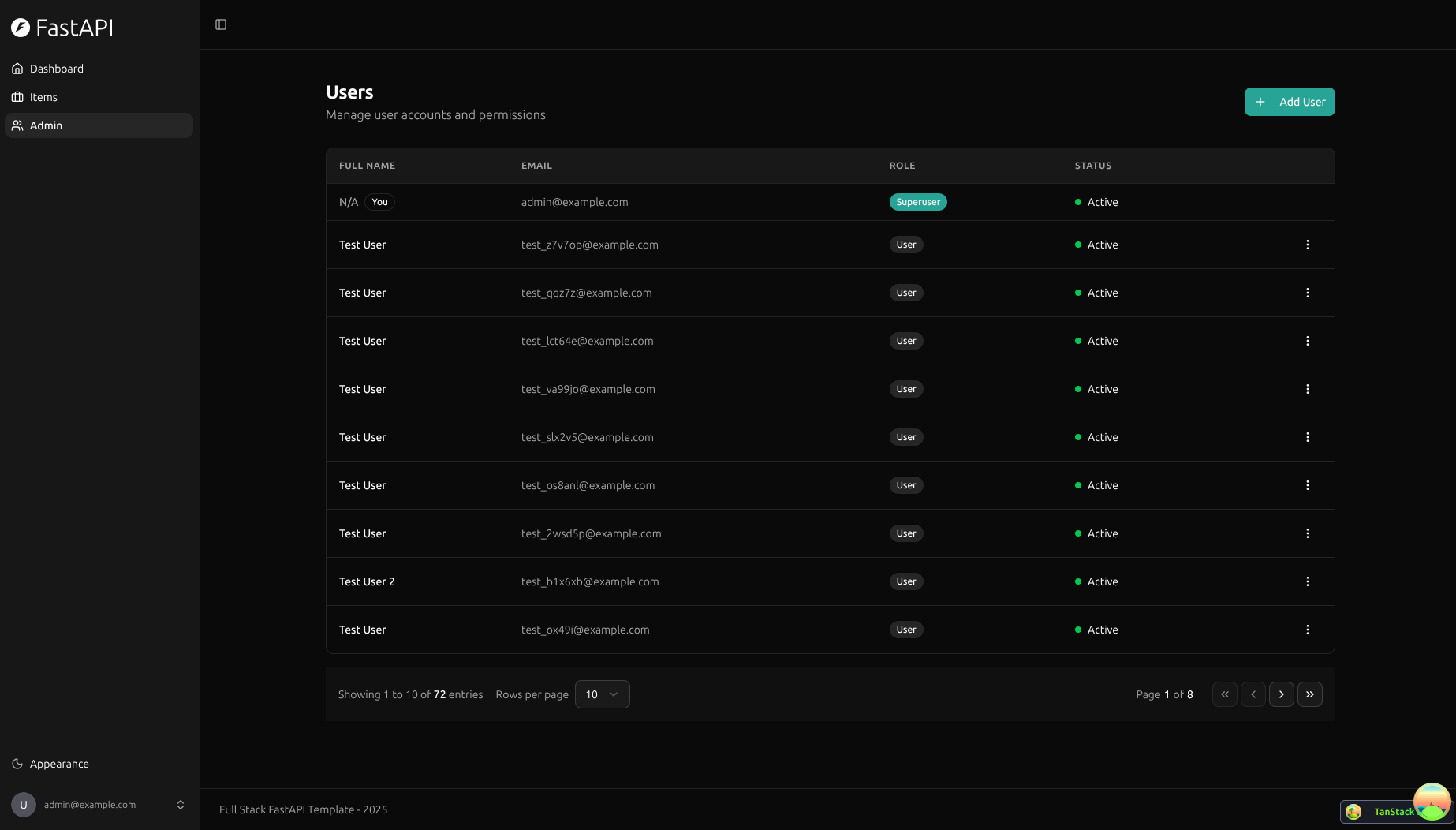
- 🦇 Dark mode support.
- 🐋 [Docker Compose](https://www.docker.com) for development and production.
- 🔒 Secure password hashing by default.
- 🔑 JWT (JSON Web Token) authentication.
- 📫 Email based password recovery.
- 📬 [Mailcatcher](https://mailcatcher.me) for local email testing during development.
- ✅ Tests with [Pytest](https://pytest.org).
- 🚢 Deployment instructions using Docker Compose.
- 🏭 CI (continuous integration) and CD (continuous deployment) based on GitHub Actions.
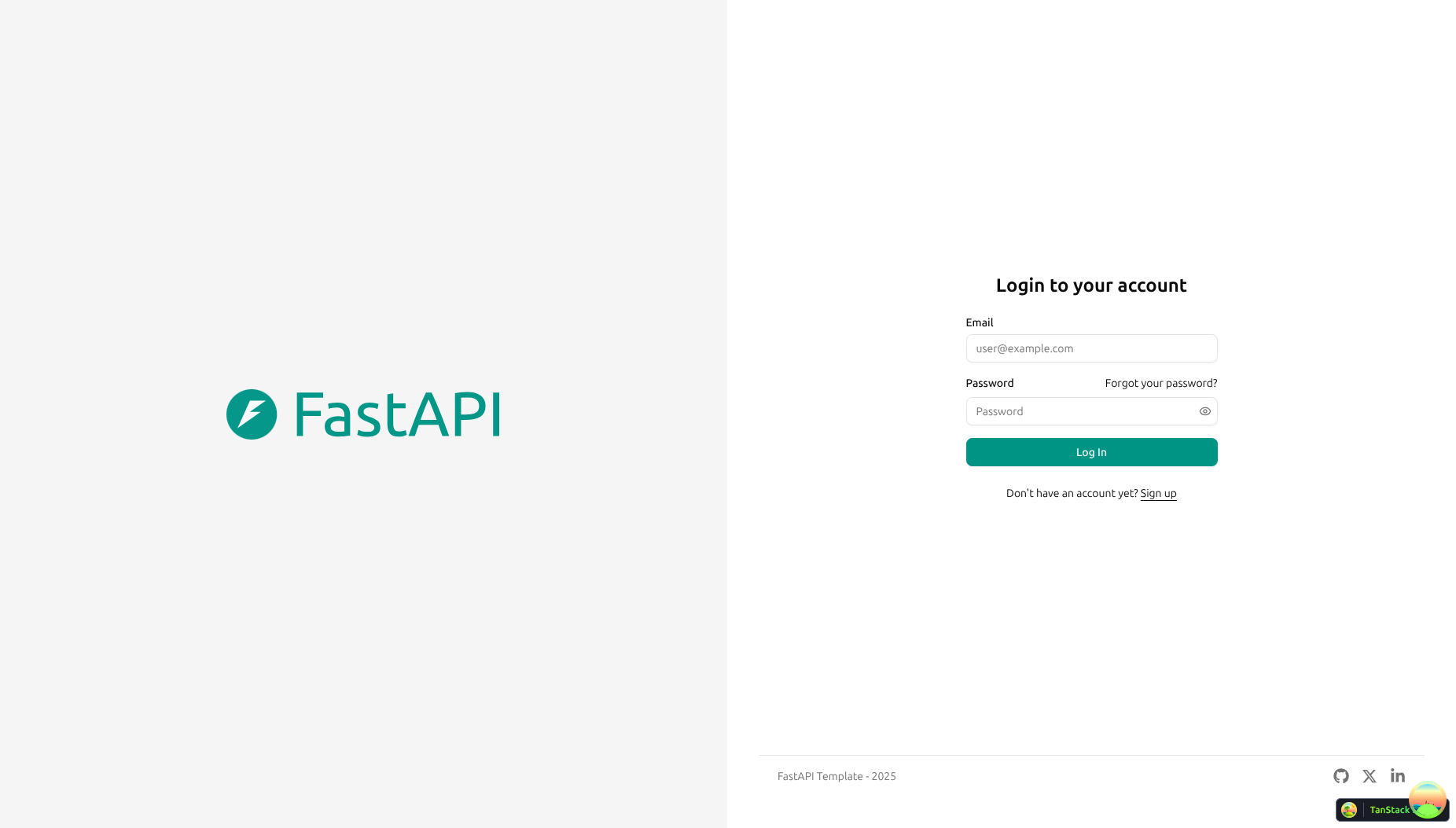
### Dashboard Login
[](https://github.com/fastapi/full-stack-fastapi-template)
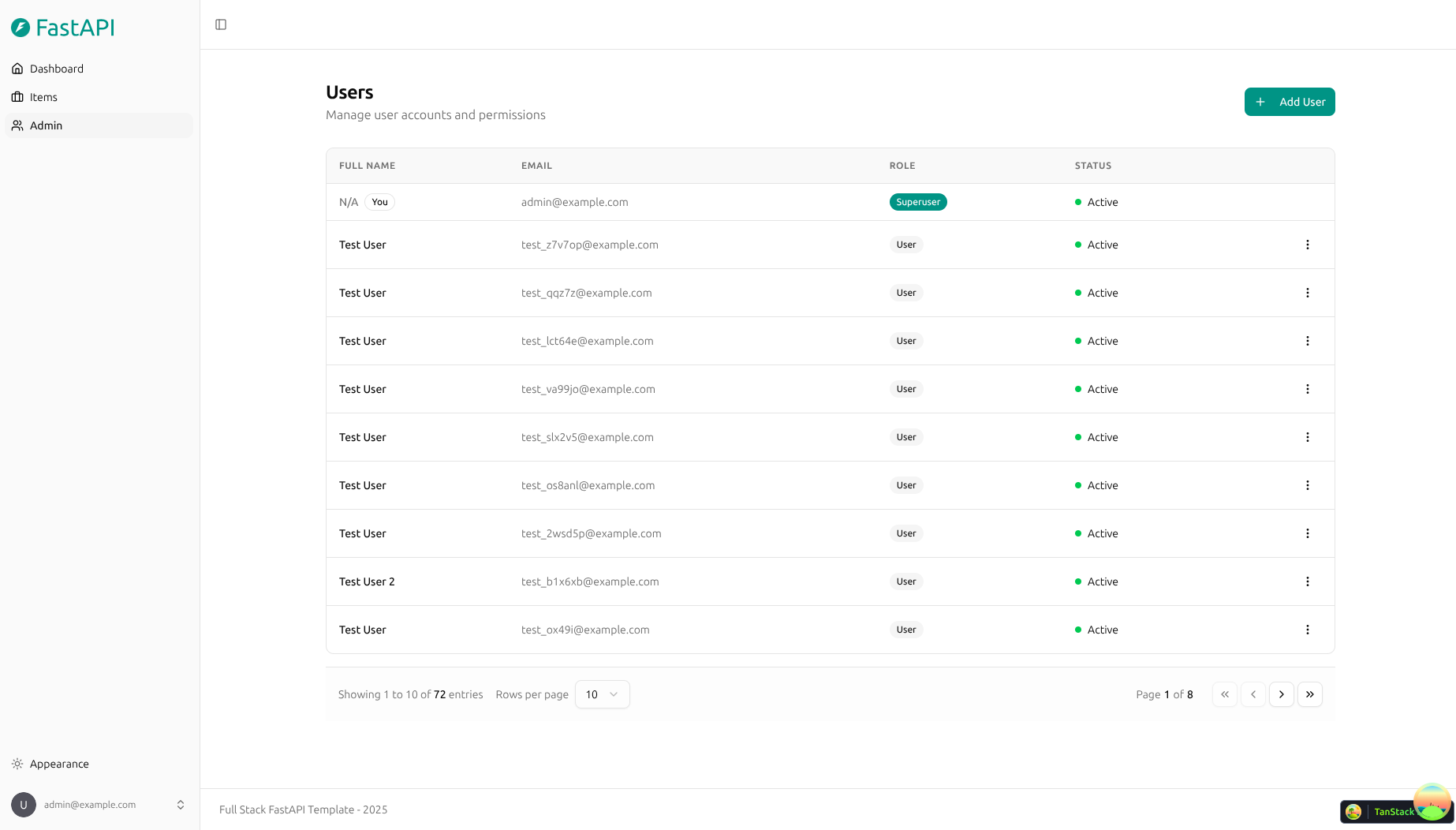
### Dashboard - Admin
[](https://github.com/fastapi/full-stack-fastapi-template)
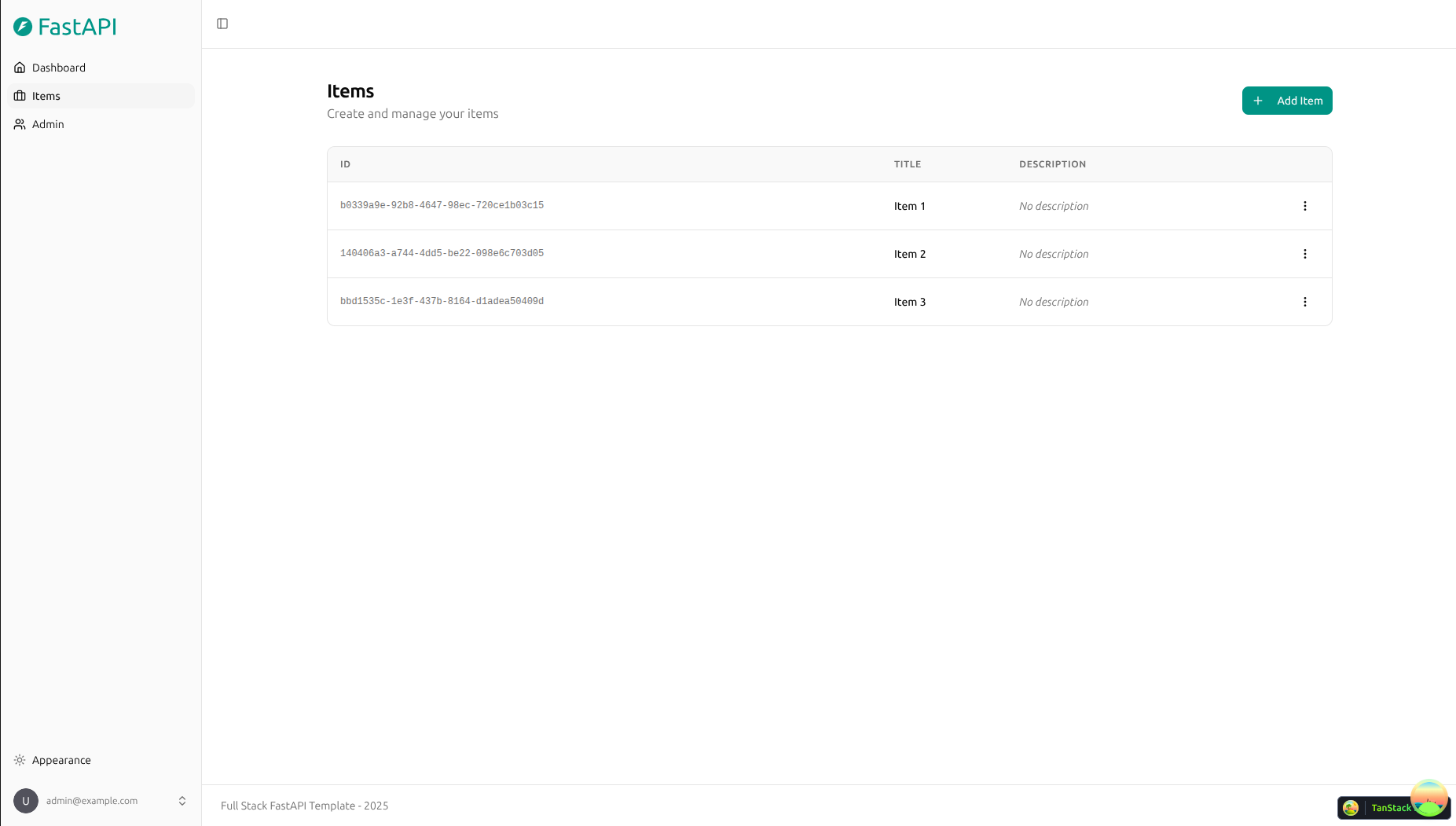
### Dashboard - Items
[](https://github.com/fastapi/full-stack-fastapi-template)
### Dashboard - Dark Mode
[](https://github.com/fastapi/full-stack-fastapi-template)
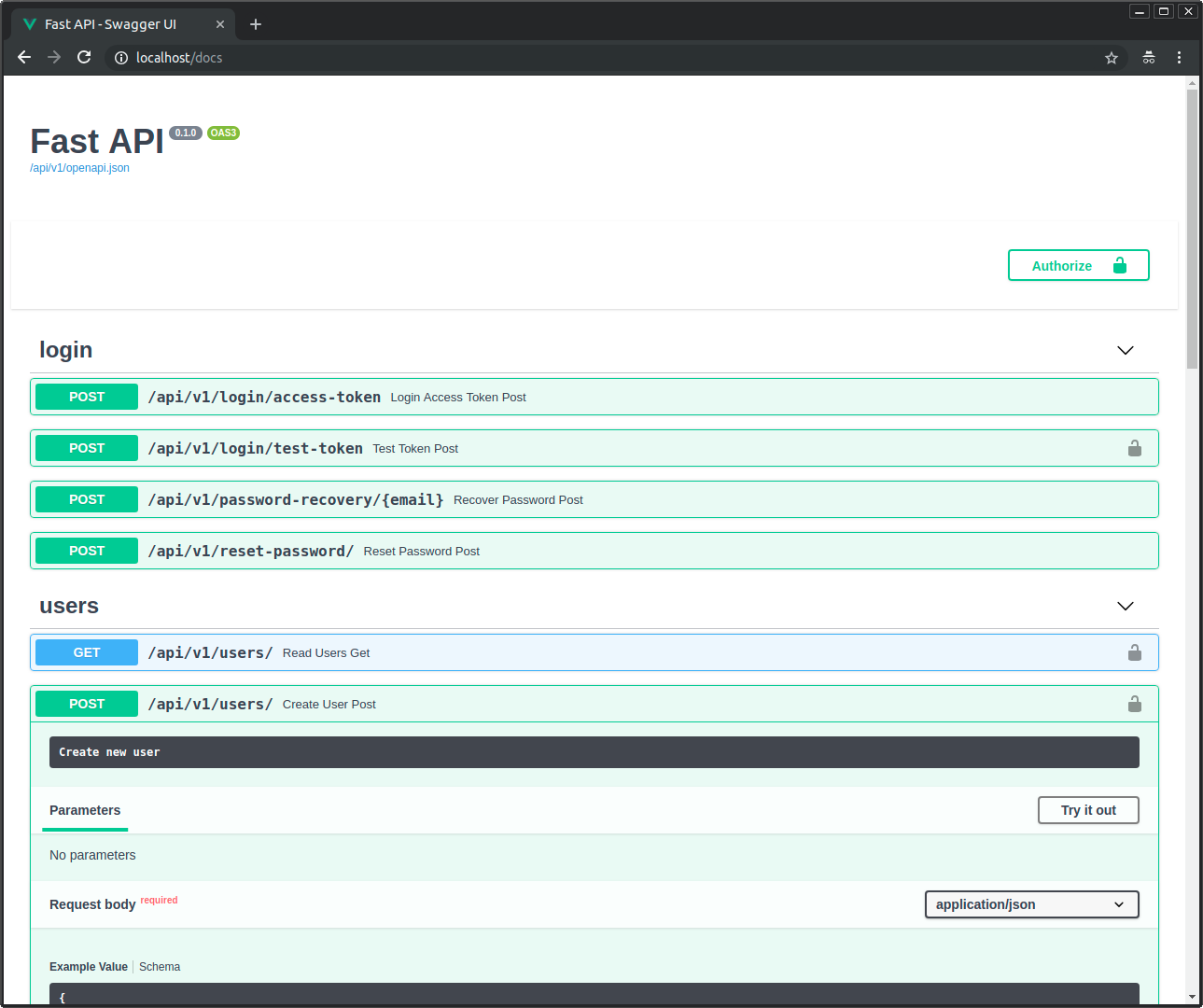
### Interactive API Documentation
[](https://github.com/fastapi/full-stack-fastapi-template)
## How To Use It
You can **just fork or clone** this repository and use it as is.
✨ It just works. ✨
### How to Use a Private Repository
If you want to have a private repository, GitHub won't allow you to simply fork it as it doesn't allow changing the visibility of forks.
But you can do the following:
- Create a new GitHub repo, for example `my-full-stack`.
- Clone this repository manually, set the name with the name of the project you want to use, for example `my-full-stack`:
```bash
git clone git@github.com:fastapi/full-stack-fastapi-template.git my-full-stack
```
- Enter into the new directory:
```bash
cd my-full-stack
```
- Set the new origin to your new repository, copy it from the GitHub interface, for example:
```bash
git remote set-url origin git@github.com:octocat/my-full-stack.git
```
- Add this repo as another "remote" to allow you to get updates later:
```bash
git remote add upstream git@github.com:fastapi/full-stack-fastapi-template.git
```
- Push the code to your new repository:
```bash
git push -u origin master
```
### Update From the Original Template
After cloning the repository, and after doing changes, you might want to get the latest changes from this original template.
- Make sure you added the original repository as a remote, you can check it with:
```bash
git remote -v
origin git@github.com:octocat/my-full-stack.git (fetch)
origin git@github.com:octocat/my-full-stack.git (push)
upstream git@github.com:fastapi/full-stack-fastapi-template.git (fetch)
upstream git@github.com:fastapi/full-stack-fastapi-template.git (push)
```
- Pull the latest changes without merging:
```bash
git pull --no-commit upstream master
```
This will download the latest changes from this template without committing them, that way you can check everything is right before committing.
- If there are conflicts, solve them in your editor.
- Once you are done, commit the changes:
```bash
git merge --continue
```
### Configure
You can then update configs in the `.env` files to customize your configurations.
Before deploying it, make sure you change at least the values for:
- `SECRET_KEY`
- `FIRST_SUPERUSER_PASSWORD`
- `POSTGRES_PASSWORD`
You can (and should) pass these as environment variables from secrets.
Read the [deployment.md](./deployment.md) docs for more details.
### Generate Secret Keys
Some environment variables in the `.env` file have a default value of `changethis`.
You have to change them with a secret key, to generate secret keys you can run the following command:
```bash
python -c "import secrets; print(secrets.token_urlsafe(32))"
```
Copy the content and use that as password / secret key. And run that again to generate another secure key.
## Backend Development
Backend docs: [backend/README.md](./backend/README.md).
## Frontend Development
Frontend docs: [frontend/README.md](./frontend/README.md).
## Deployment
Deployment docs: [deployment.md](./deployment.md).
## Development
General development docs: [development.md](./development.md).
This includes using Docker Compose and `.env` configurations.
## Release Notes
Check the file [release-notes.md](./release-notes.md).
## License
The SpatialHub is licensed under the terms of the MIT license.
## Technology Stack and Features
- ⚡ [**FastAPI**](https://fastapi.tiangolo.com) for the Python backend API.
- 🧰 [SQLModel](https://sqlmodel.tiangolo.com) for the Python SQL database interactions (ORM).
- 🔍 [Pydantic](https://docs.pydantic.dev), used by FastAPI, for the data validation and settings management.
- 💾 [PostgreSQL](https://www.postgresql.org) as the SQL database.
- 🚀 [React](https://react.dev) for the frontend.
- 💃 Using TypeScript, hooks, [Vite](https://vitejs.dev), and other parts of a modern frontend stack.
- 🎨 [Tailwind CSS](https://tailwindcss.com) and [shadcn/ui](https://ui.shadcn.com) for the frontend components.
- 🤖 An automatically generated frontend client.
- 🧪 [Playwright](https://playwright.dev) for End-to-End testing.
- 🦇 Dark mode support.
- 🐋 [Docker Compose](https://www.docker.com) for development and production.
- 🔒 Secure password hashing by default.
- 🔑 JWT (JSON Web Token) authentication.
- 📫 Email based password recovery.
- 📬 [Mailcatcher](https://mailcatcher.me) for local email testing during development.
- ✅ Tests with [Pytest](https://pytest.org).
- 🚢 Deployment instructions using Docker Compose.
- 🏭 CI (continuous integration) and CD (continuous deployment) based on GitHub Actions.
### Dashboard Login
[](https://github.com/fastapi/full-stack-fastapi-template)
### Dashboard - Admin
[](https://github.com/fastapi/full-stack-fastapi-template)
### Dashboard - Items
[](https://github.com/fastapi/full-stack-fastapi-template)
### Dashboard - Dark Mode
[](https://github.com/fastapi/full-stack-fastapi-template)
### Interactive API Documentation
[](https://github.com/fastapi/full-stack-fastapi-template)
## How To Use It
You can **just fork or clone** this repository and use it as is.
✨ It just works. ✨
### How to Use a Private Repository
If you want to have a private repository, GitHub won't allow you to simply fork it as it doesn't allow changing the visibility of forks.
But you can do the following:
- Create a new GitHub repo, for example `my-full-stack`.
- Clone this repository manually, set the name with the name of the project you want to use, for example `my-full-stack`:
```bash
git clone git@github.com:fastapi/full-stack-fastapi-template.git my-full-stack
```
- Enter into the new directory:
```bash
cd my-full-stack
```
- Set the new origin to your new repository, copy it from the GitHub interface, for example:
```bash
git remote set-url origin git@github.com:octocat/my-full-stack.git
```
- Add this repo as another "remote" to allow you to get updates later:
```bash
git remote add upstream git@github.com:fastapi/full-stack-fastapi-template.git
```
- Push the code to your new repository:
```bash
git push -u origin master
```
### Update From the Original Template
After cloning the repository, and after doing changes, you might want to get the latest changes from this original template.
- Make sure you added the original repository as a remote, you can check it with:
```bash
git remote -v
origin git@github.com:octocat/my-full-stack.git (fetch)
origin git@github.com:octocat/my-full-stack.git (push)
upstream git@github.com:fastapi/full-stack-fastapi-template.git (fetch)
upstream git@github.com:fastapi/full-stack-fastapi-template.git (push)
```
- Pull the latest changes without merging:
```bash
git pull --no-commit upstream master
```
This will download the latest changes from this template without committing them, that way you can check everything is right before committing.
- If there are conflicts, solve them in your editor.
- Once you are done, commit the changes:
```bash
git merge --continue
```
### Configure
You can then update configs in the `.env` files to customize your configurations.
Before deploying it, make sure you change at least the values for:
- `SECRET_KEY`
- `FIRST_SUPERUSER_PASSWORD`
- `POSTGRES_PASSWORD`
You can (and should) pass these as environment variables from secrets.
Read the [deployment.md](./deployment.md) docs for more details.
### Generate Secret Keys
Some environment variables in the `.env` file have a default value of `changethis`.
You have to change them with a secret key, to generate secret keys you can run the following command:
```bash
python -c "import secrets; print(secrets.token_urlsafe(32))"
```
Copy the content and use that as password / secret key. And run that again to generate another secure key.
## Backend Development
Backend docs: [backend/README.md](./backend/README.md).
## Frontend Development
Frontend docs: [frontend/README.md](./frontend/README.md).
## Deployment
Deployment docs: [deployment.md](./deployment.md).
## Development
General development docs: [development.md](./development.md).
This includes using Docker Compose and `.env` configurations.
## Release Notes
Check the file [release-notes.md](./release-notes.md).
## License
The SpatialHub is licensed under the terms of the MIT license.